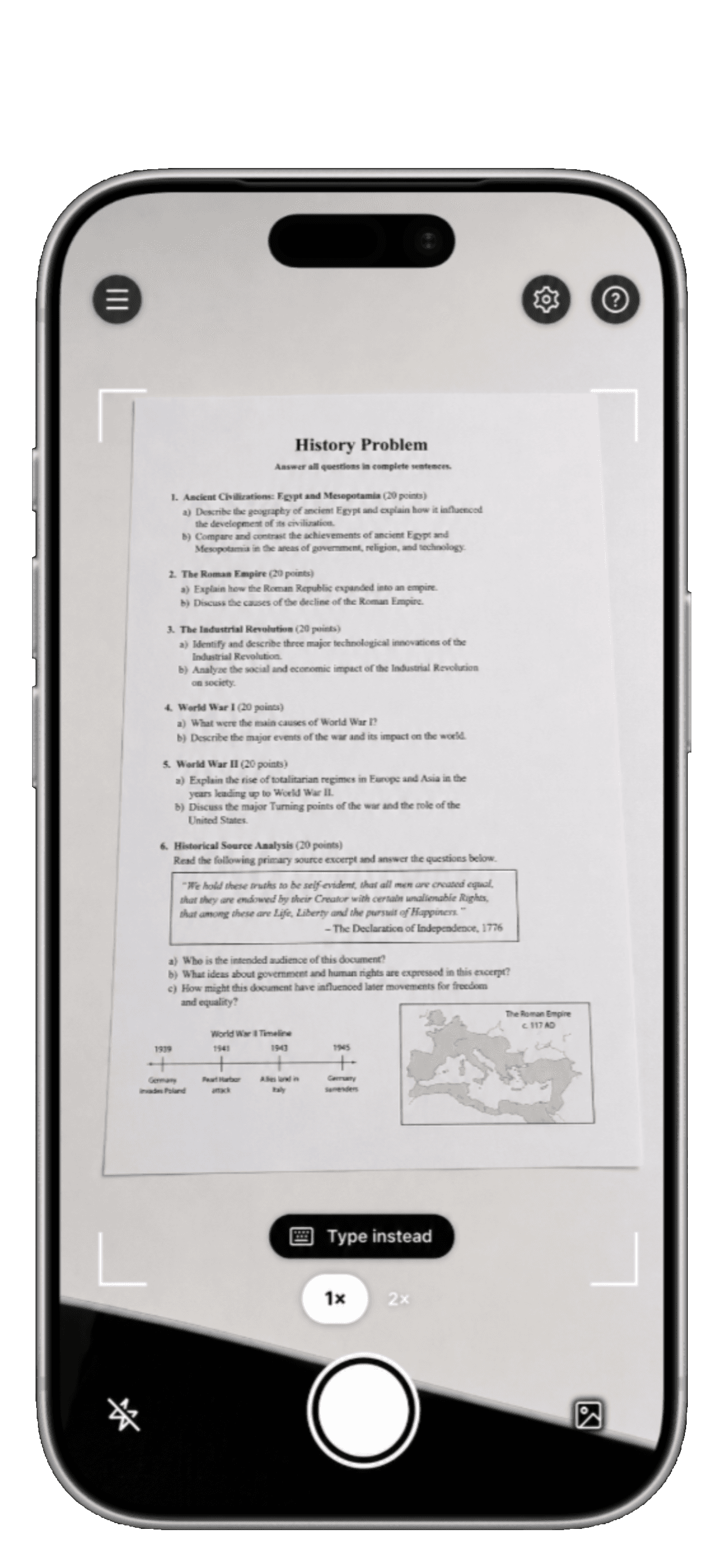
Capture, solve
Photo to handwriting
Photograph a question or a page of notes. HandwriterAI reads it, works through the problem, and prepares a clean handwritten result.
View details
Take a picture of any problem or notes and get it instantly handwritten in your own writing.

Real output
From a photo or typed text to a realistic page in your own handwriting. Math, diagrams, and your paper style stay intact.
Capture, solve
Photograph a question or a page of notes. HandwriterAI reads it, works through the problem, and prepares a clean handwritten result.
View details
Personal glyphs
Scan a one-page handwriting sheet once. Every future page uses your letters, numbers, symbols, spacing, and natural variation.
View details
“I used to spend an hour copying study notes the night before exams. Now I paste, render, and I’m done in two minutes.”
Karim R.HandwriterAI student
The approach
The whole flow is designed around one goal: turn what you already have into a believable handwritten page with less effort and more control.
Learn moreTake a photo of a problem, paste typed text, or bring in notes you already have. No manual retyping is required.
HandwriterAI understands the source, solves supported problems step by step, and structures the page before rendering.
Choose a built-in style or your scanned handwriting. Natural variants, ink, spacing, and baseline drift make every line feel written.
Pick A4 or US Letter and lined, blank, grid, or dotted paper. Download a print-ready PDF or PNG in seconds.
At a glance
Start free, create from your phone, and scale up only when you need longer documents or more handwriting styles.
One app, every subject
HandwriterAI turns typed notes or photographed questions into a realistic handwritten PDF in your own ink. It keeps the useful details—math, diagrams, ruled paper—while removing the repetitive copying.
Use a built-in handwriting style immediately or scan your own letters once and keep that personal set for every future page.
Built for every subject
The tools are designed for everything from a short letter to a page of equations.
Practical walkthroughs for making a personal handwriting set and turning the notes you already have into finished pages.
FAQ
The short answers are here. The full details live on the FAQ page.
Read the full FAQYes. HandwriterAI is built for first-time users and power users alike, with each step explained inside the app.
If your teacher accepts standard handwritten work, choose the matching lined, blank, dotted, or grid paper and export an A4 or US Letter PDF.
Yes. Fractions, integrals, Greek symbols, tables, charts, and supported diagrams render alongside your notes in the same handwriting style.
Yes. Fill in the one-page scan template once, photograph it in the app, and HandwriterAI builds a reusable set from your letters, digits, and symbols.
Yes—HandwriterAI is available for iPhone and iPad today. Android is planned next.
Equations, included
Fractions, integrals, Greek symbols, tables, charts, and diagrams stay in the same handwriting as the surrounding notes.

A4, Letter, grid
Export a polished PDF or PNG on lined, blank, grid, or dotted paper, ready to print or share from your phone.
View details
Ready to see more?
See all examples